

If your iMac or laptop is slow, you’re not imagining it. Something is actually wrong, and it’s rarely just “old age.” A slow iMac or laptop is usually a symptom of overheating, a failing hard drive, low storage space, or hardware that’s quietly giving up. Here’s the thing: most people wait too long before getting help, and that’s when small issues turn into expensive ones.
In this guide, we’ll walk through the 7 clear warning signs your device needs professional repair, how to tell software problems from hardware failures, and where to get certified help in Malta. Let’s get into it.
Why Is My iMac or Laptop So Slow? (Quick Overview)
Let me explain why this happens. A slow computer almost always comes down to one of four things: overheating, a failing hard drive, storage bloat, or outdated software fighting against older hardware.
Most people miss this: a computer that ran fine for years doesn’t just “wear out” overnight. Something specific changed, whether it’s a recent update, a drive nearing failure, or years of accumulated junk files.
Common Causes at a Glance
- Nearly full storage (macOS and Windows both slow down below 10-15% free space)
- Too many background apps and browser tabs
- Outdated OS or drivers
- Dust buildup causing overheating
- Aging or failing hard drive
- Malware or virus infection
Software Slowdown vs Hardware Failure: How to Tell the Difference
If restarting or freeing up storage fixes things, it’s likely software. If the problem returns within a day, or comes with noise, heat, or crashes, you’re probably looking at a hardware issue that needs a technician, not a software tweak.
7 Signs Your Computer Needs Professional Repair
Here are the 7 signs that separate a quick fix from something that needs a real diagnostic.
- Frequent freezing or the spinning beach ball/wheel
- Loud fan noise and overheating
- Extremely slow startup or boot-up time
- Clicking, grinding, or unusual noises from the drive
- Apps crashing or not responding
- Storage constantly full despite deleting files
- Battery draining fast or not holding charge
If you’re seeing two or more of these at once, it’s time to stop guessing and get it looked at properly.
Frequent Freezing or the Spinning Beach Ball/Wheel
On a Mac, that spinning wheel usually means the system is waiting on something, often the hard drive or RAM. If it happens once a week, no big deal. If it happens every hour, your drive may be struggling to keep up, and that’s a real warning sign.
Loud Fan Noise & Overheating
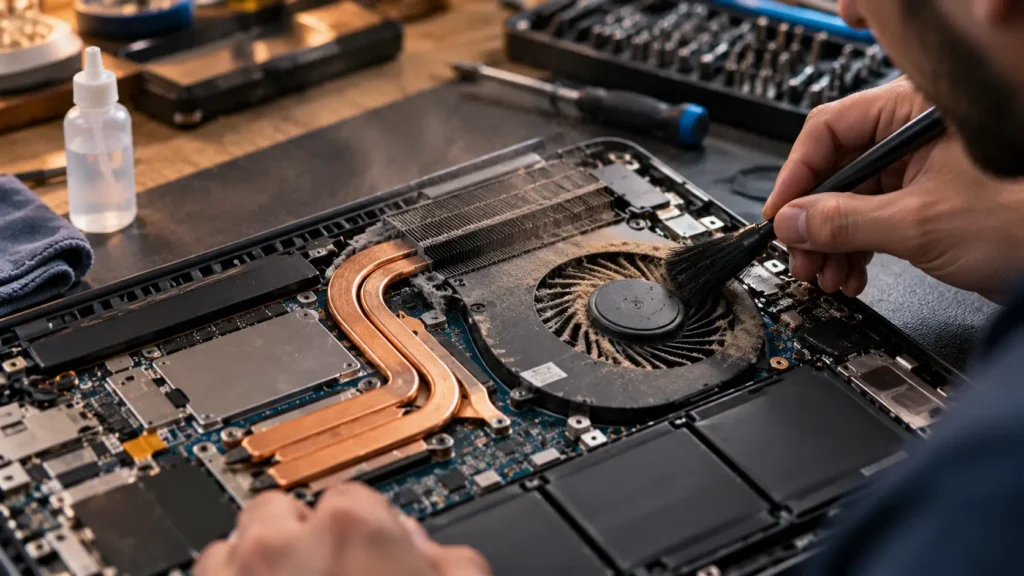
Fans working overtime are trying to cool something that’s overworking. Overheating slows performance on purpose (it’s called thermal throttling) to protect internal components. Left unchecked, it shortens the life of your battery and logic board.
Extremely Slow Startup or Boot-Up Time
A healthy laptop should boot in under 30 seconds. If yours takes minutes, something is loading that shouldn’t be, or your drive is starting to fail. This is one of the most searched issues we see, and one of the easiest to diagnose early.
Clicking, Grinding, or Unusual Noises from the Drive
This one matters most. A clicking hard drive is a mechanical failure in progress. Back up your files immediately. This isn’t a “maybe” situation, it’s a countdown.
Apps Crashing or Not Responding
Random crashes, especially across different apps, point to memory issues or corrupted system files. If it’s just one app, it’s probably that app. If it’s everything, it’s your system.
Storage Constantly Full Despite Deleting Files
If you keep deleting files and your storage fills right back up, something is writing data in the background, often cache files, failed backups, or malware.
Battery Draining Fast or Not Holding Charge
A battery that used to last 8 hours and now dies in 2 has degraded. This is normal after 2-3 years of daily use, but it’s also fixable with a proper battery replacement.
iMac vs Laptop — Are the Warning Signs Different?
Yes, slightly. An iMac running slow is often about desktop-specific issues, while laptops have their own quirks tied to portability and battery wear.
Signs Specific to iMac (Desktop) Performance
iMacs run continuously for longer stretches and sit in one spot, so dust buildup inside the case is a bigger factor. Since there’s no battery to blame, a slow iMac almost always points to storage, RAM, or an aging hard drive. Desktop fans also tend to be louder when struggling, since there’s more internal space for airflow noise to travel.
Signs Specific to MacBook/Windows Laptop Performance
Laptops face heat management challenges because everything is packed tightly together. Battery health directly affects performance too, since a degraded battery can cause the system to throttle speed to conserve power. Portability also means more wear and tear, drops, spills, and dust exposure that desktops rarely face.
DIY Fixes vs When You Actually Need a Professional
You don’t need to call a technician for every hiccup. But you do need to know when DIY stops working.
Quick DIY Checks You Can Try First
Restart your device properly (not just closing the lid). Clear your browser cache and check available storage. Close unused apps and browser tabs running in the background. Run a malware scan if you’re on Windows.
When to Stop DIY and Book a Repair
If you’ve tried the basics and nothing changes within a day or two, stop troubleshooting yourself. Persistent noise, overheating, or crashing means something physical is wrong, and that needs proper diagnostic tools, not guesswork.
Risks of Ignoring the Warning Signs
Here’s what most people don’t realize: ignoring these signs doesn’t just mean a slower computer. It means risking total data loss. A drive that’s clicking today can fail completely tomorrow, taking your photos, documents, and work files with it.
Repair vs Replace — Is It Worth Fixing an Old iMac or Laptop?
Good question, and the honest answer is “it depends.”
Cost Comparison Table — Repair Cost vs New Device Cost
| Issue | Typical Repair Cost | New Device Cost |
|---|---|---|
| SSD/storage upgrade | Low | High |
| Battery replacement | Low-Medium | High |
| Logic board repair | Medium-High | High |
| Screen replacement | Medium | High |
How to Decide Based on Device Age and Damage
If your iMac or MacBook is under 6-7 years old and the fault is a single component (battery, storage, one port), repair almost always wins on cost. If the logic board has failed on a much older model, replacement starts making more financial sense.
Where to Get Professional iMac & Laptop Repair in Malta
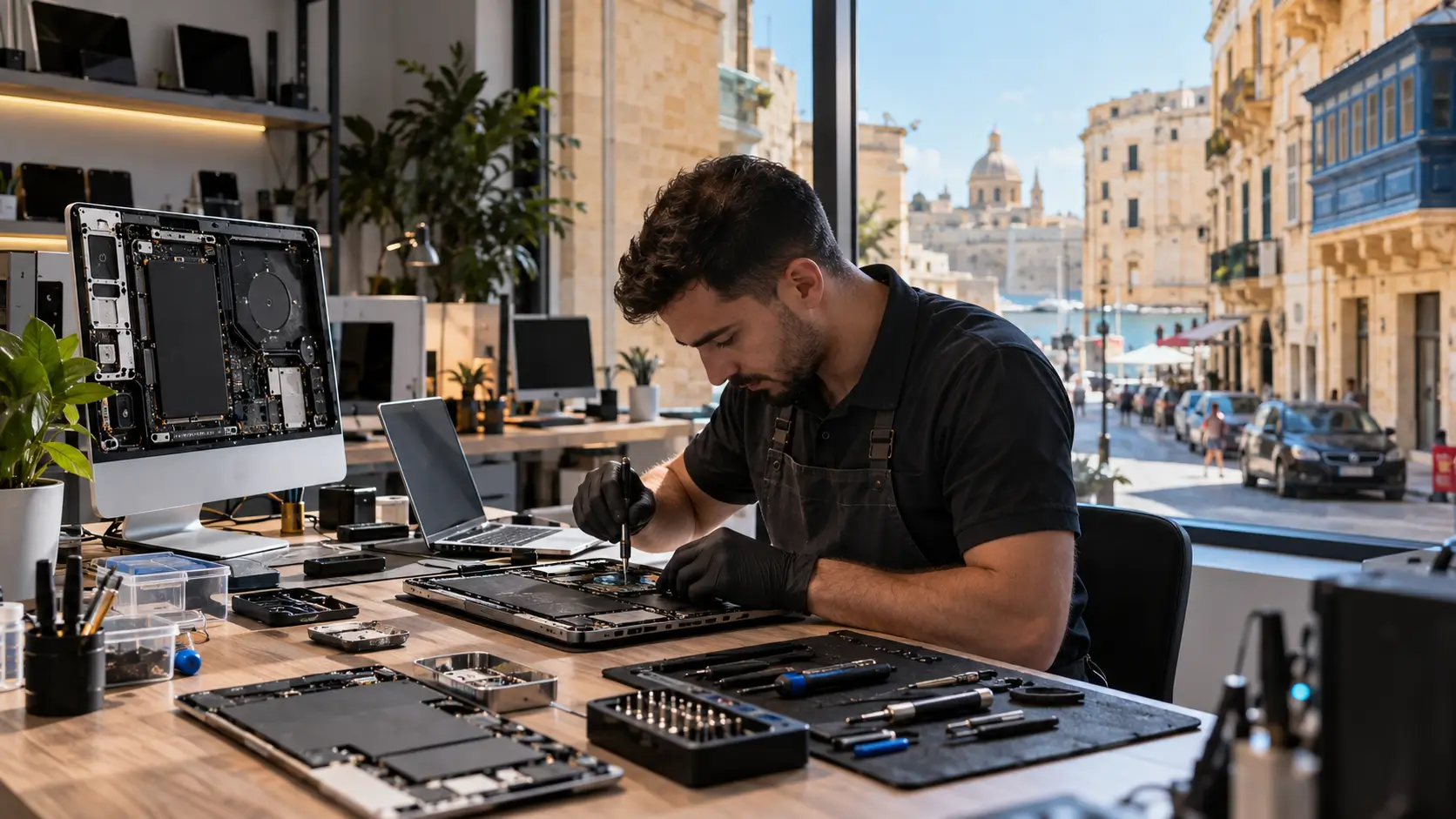
If you’re based in Malta, you’re actually in a good spot. The island has a small but genuinely qualified repair ecosystem for Apple devices.
What to Look For Apple Authorised Service Provider vs Independent Repair Provider
An Apple Authorised Service Provider (AASP) is directly certified by Apple for warranty and out-of-warranty repairs. An Apple Independent Repair Provider (IRP) is also Apple-certified, using genuine parts, but operates independently, often at a lower cost. Both are legitimate, trained options, just know which one you’re booking with.
Certified Repair Options Across Malta
Repair services are available across the island, including Sliema, Valletta, Birkirkara, Mosta, and Gozo. Look specifically for technicians certified under Apple’s official programs rather than uncertified “we fix everything” shops, especially for logic board or battery work.
What to Ask Before Booking a Repair
Ask about turnaround time, whether they use genuine or aftermarket parts, what happens to your data during the repair, and whether there’s a warranty on the fix itself. A good technician will answer all of this without hesitation.
How to Prevent Future Slowdowns (Maintenance Tips)
Regular Cleaning & Software Updates
Dust out your vents every few months. Keep your OS updated (updates often include performance fixes, not just new features). Uninstall apps you don’t use.
Backing Up Data Before It’s Too Late
Set up automatic backups now, before you need them. Time Machine for Mac or a cloud backup for Windows takes minutes to set up and could save you everything.
FAQ
Why is my iMac suddenly running slow?
Usually a nearly full drive, too many background apps, outdated macOS, overheating, or a failing hard drive. If cleanup doesn’t help, get it checked.
What are the signs my laptop needs professional repair?
Freezing, loud fans, slow startup, drive noises, app crashes, storage issues, and fast battery drain. Two or more together means it’s time.
Can a slow laptop be fixed without replacing it?
Often, yes. An SSD upgrade, more RAM, or a cleanup can fix it for far less than buying new.
How much does laptop repair cost in Malta?
It varies by issue. Software fixes cost less; hardware repairs like logic boards cost more. Get a diagnostic quote first.
Is it worth repairing an old iMac?
If it’s under 6-7 years old with one faulty part, usually yes. Much older models with major failures may cost more to fix than replace.
What does a clicking noise from my computer mean?
A failing mechanical hard drive. Back up your data immediately and get it assessed before it fails fully.
Conclusion
A slow iMac or laptop is your device telling you something’s wrong, and ignoring it rarely ends well. Whether it’s overheating, a dying drive, or a battery on its last legs, catching these 7 signs early saves you money and protects your data. If DIY fixes aren’t cutting it, book a professional repair with a certified technician in Malta before a small issue becomes a costly one.